257 West Union St.
Athens, Ohio 45701
Ph: 740-593-3150
Gorman-Redlich Manufacturing Co.

Frequently Asked Questions

Common Alerting Protocol (CAP)
Q: I keep hearing about the Common Alerting Protocol(CAP). What is it?
Q: Do I have to implement CAP?
Q: Can Gorman-Redlich help me stay compliant with CAP?
Q: Is Gorman-Redlich CAP equipment certified?
Q: Is the Gorman-Redlich CAP-DEC1 a stand-alone unit?
Q: With which equipment is Gorman-Redlich CAP equipment compatible?

GR Equipment and Company Information
Q: Is Gorman-Redlich equipment FCC certified for use in broadcasting environments?
Q: What is the FCC ID of the Gorman-Redlich equipment?
Q: Where can I find a complete list of Gorman-Redlich products?
Q: Where can I purchase Gorman-Redlich equipment?
Q: How much does Gorman-Redlich equipment cost?
Q: Which methods of payment do you accept?
Q: How can I see Gorman-Redlich equipment in person?
Q: How can I get in touch with Gorman-Redlich Manufacturing Company?
Q: Can I hear test audio samples?
Q: How do I configure my Gorman-Redlich alerting equipment?
Q: My CAP-DEC says "A Win32 command line email tool has stopped working."
Q: Emails from my CAP-DEC aren't being delivered.
Q: How do I configure my CAP-DEC to work with my proxy server?

Equipment Use and Troubleshooting
Q: There are two dark bars across my unit's display screen. What is wrong with it?
Q: I received my Gorman-Redlich EAS-1 unit. What do I do now?
Q: How can I change the settings in my EAS-1 unit?
Q: Which EAS units are compatible with the Windows EASSetup software?
Q: I have downloaded the EASSetup software but I can't extract the files. Why not?


Don't see your question here? Contact us!

Q: I keep hearing about the Common Alerting Protocol(CAP). What is it?
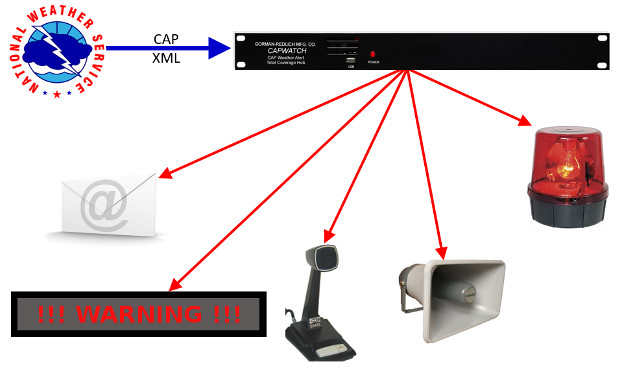
A: CAP is an XML-based data format for exchanging public warnings and emergencies between alerting technologies which allows a warning message to be consistently disseminated simultaneously over many warning systems to many applications. CAP increases warning effectiveness and simplifies the task of activating a warning for responsible officials.
back to top
Q: Do I have to implement CAP?
A: If you are an EAS participant, yes. In May 2007, the FCC mandated that all EAS participants be able to receive alerts in CAP format within 180 days of the September 30, 2010, CAP adoption by FEMA. That deadline has been extended to 1 year from the adoption date.
back to top
Q: Can Gorman-Redlich help me stay compliant with CAP?
A: Yes! Gorman-Redlich will initially be offering a standalone CAP-to-EAS Decoder system for use with existing EAS units. In the future, we plan to offer an integrated system that combines CAP-to-EAS conversion and EAS encoder/decoder capabilities.
back to top
Q: Is Gorman-Redlich CAP equipment certified?
A: Currently, the only testing program for CAP equipment is the FEMA IPAWS Conformity Assessment Program (ICAP). The Gorman-Redlich CAP-DEC1 CAP-to-EAS decoder has undergone and passed the ICAP testing procedures and is listed in the FEMA Responder Knowledge Base (RKB) along with its Supplier's Declaration of Conformity (SDoC).
back to top
Q: Is the Gorman-Redlich CAP-DEC1 a stand-alone unit?
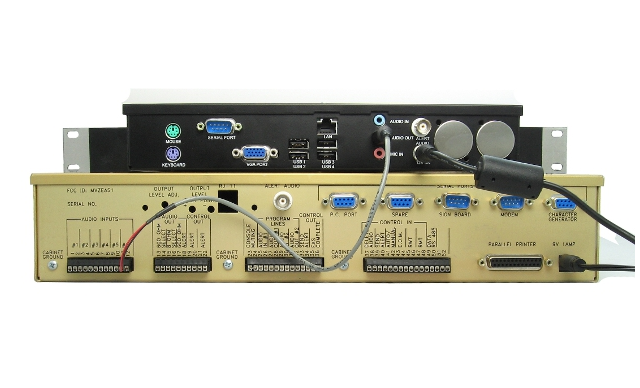
A: The Gorman-Redlich CAP-DEC1 CAP-to-EAS decoder is classified as an "intermediary device" and must be used in conjunction with certified EAS equipment such as the Gorman-Redlich EAS1 product line. For more information, please see the Understanding CAP Converters article
back to top
Q: With which equipment is Gorman-Redlich CAP equipment compatible?
A: The Gorman-Redlich CAP-DEC1 CAP-to-EAS decoder has two modes of operation:

The RS232 mode of operation is compatible with the Gorman-Redlich EAS1 line of EAS encoder-decoders and allows more rapid transmission of alerts between the CAP-DEC1 and the EAS unit, along with more detailed information.

In the AFSK mode of operation, the CAP-DEC1 emits bursts of SAME encoded AFSK data tones. These data tones may be input into any certified EAS encoder-decoder that is capable of consuming FSK data tones.
back to top
Q: Is Gorman-Redlich equipment FCC certified for use in broadcasting environments?
A: Yes. Gorman-Redlich is one of ten FCC certified vendors of EAS encoder/decoder units and one of only four FCC certified vendors of EAS decoder only units.
back to top
Q: What is the FCC ID of the Gorman-Redlich equipment?
A: Both the EAS-1 encoder/decoder units and the EAS-1 decoder only units have an FCC ID of MVZEAS1.
back to top
Q: Where can I find a complete list of Gorman-Redlich products?
A: Our product page shows the full line of Gorman-Redlich offerings.
back to top
Q: Where can I purchase Gorman-Redlich equipment?
A: You can purchase directly through us or through one of our numerous online vendors. Contact us for details.
back to top
Q: How much does Gorman-Redlich equipment cost?
A: Current prices are available on the product pricelist.
back to top
Q: Which methods of payment do you accept?
A: We accept payment by check, money order, PayPal and major credit cards.
back to top
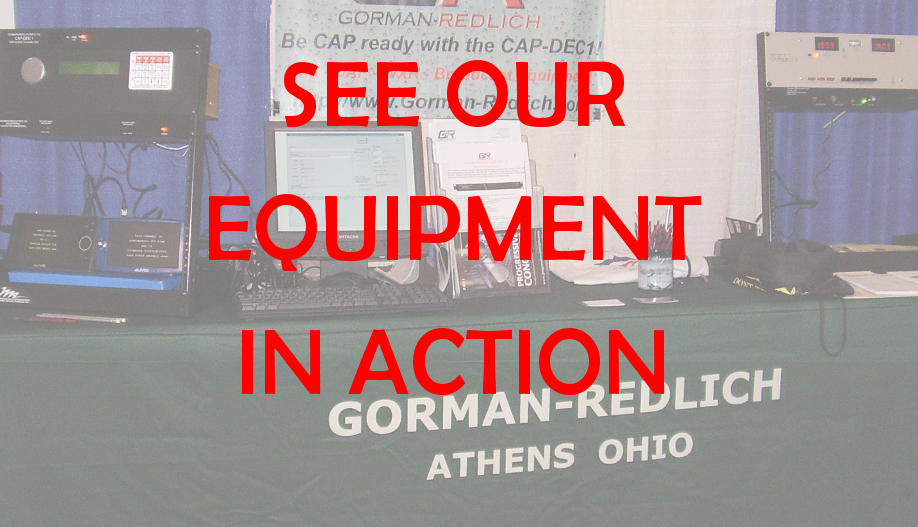
Q: How can I see Gorman-Redlich equipment in person?
A: We generally have representives at major industry trade shows and conferences. Visit our shows page to see where we will be next.
back to top
Q: How can I get in touch with Gorman-Redlich Manufacturing Company?
A: Our contact information is on the contact page.
back to top
Q: Can I hear test audio samples?
A: Yes. Test audio samples are available in MP3 format on the download page.
back to top
Q: How do I configure my Gorman-Redlich alerting equipment?
A: Gorman-Redlich EAS and Weather Radio equipment is configured using GR Setup software that is available on the downloads page. Note that there are two versions of the setup software: a DOS-based software for units with firmware v9.1 and earlier and a Windows XP/Vista/7 compatible version for units with firmware v9.2 and above.
back to top
Q: My CAP-DEC says "A Win32 command line email tool has stopped working."
A: This error may appear when the Java-based built in SMTP server is inaccessible. The most common cause of this is a problem with the Java installation caused by an incomplete Java update. This can happen when the user initiates a Java update and, by a quirk in the Java installer, the old Java version is removed (or corrupted) and no new version is installed.

To rectify this problem, visit this page from your unit's browser to check if Java is installed. If it is not, follow the on-screen prompts to do so.

back to top
Q: Emails from my CAP-DEC aren't being delivered.
A: If you do not see the above error message and emails from your CAP-DEC are not being delivered, the most likely culprits are various anti-spam measures. The first step is to check any spam or quarantine folders associated with your email service. If you do not see your email messages here, it is possible that the email has been rejected due to a(increasingly widespread) Sender Policy Framework (SPF) in use by your email service. Unfortunately, there is currently no quick solution to this email delivery issue; however, we are invesitgating the issue and anticipate resolving it in a future software release.
back to top
Q: How do I configure my CAP-DEC to work with my proxy server?
A: The URLs for the FEMA IPAWS alert feed are hard-coded into the software and are not user-editable to add proxy server information. As such, proxy servers may be used by making use of the http_proxy and https_proxy environment variables on the system. (NOTE that simply changing proxy settings through the web browser settings or other locations will not suffice)

The http_proxy and/or https_proxy environment variables may be added as described here: http://support.microsoft.com/kb/310519 (These instructions are for Windows XP but the steps are the same once you right-click on “Computer” from the start menu). See the blog post here for more information on these environment variables.

back to top
Q: There are two dark bars across my unit's display screen. What is wrong with it?
A: In most cases this is caused by a damaged power supply. Contact us for support.
back to top
Q: I received my Gorman-Redlich EAS-1 unit. What do I do now?
A: Plug it in! If you purchased your Gorman-Redlich unit directly from us and filled out the programming form it will already be programmed with your station's information in it. If changes need to be made to your unit's settings, you may either download the EASSetup software or use the front panel keypad. See the EAS-1 instruction sheet and manual for more information.
back to top
Q: How can I change the settings in my EAS-1 unit?
A: Most settings may be entered/changed via the front panel keypad. For details, see the EAS-1 manual. Settings may also be changed via the EASSetup software. For details, see software documentation.
back to top
Q: Which EAS units are compatible with the Windows EASSetup software?
A: EAS-1 units with firmware version 9.2 and above are compatible with the Windows setup software. Most firmware versions prior to 9.2 are compatible with the DOS setup software. Revision C boards will likely require hardware modification. Please contact us for details.
back to top
Q: I have downloaded the EASSetup software but I can't extract the files. Why not?
A: The setup software is in password-protected zip files intended for use by current customers only. Contact us for details.
back to top


Last Updated 8/10/2011 Pages by WCS © Copyright Gorman Redlich Mfg. Co.